Table of Contents
- Introduction
- What is Flash Effect AI Prompt
- Why This Technique is Trending
- Key Features
- Full Prompt Access
- Best Use Cases
- Pro Tips
- FAQs
- Conclusion
Introduction
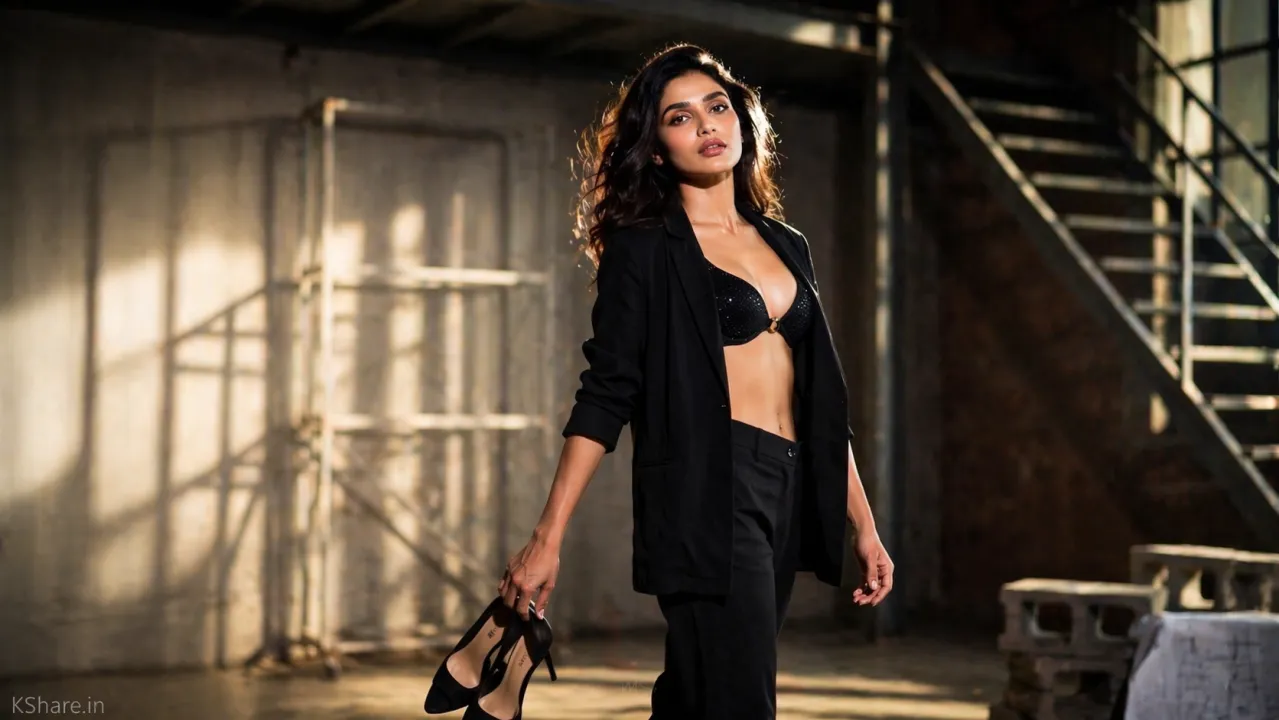
Creating realistic AI-generated images has become increasingly competitive. While many outputs still appear artificial or overly smooth, advanced prompt techniques like the Flash Effect AI Prompt can dramatically improve realism.
This method simulates professional DSLR flash lighting, producing images with crisp highlights, natural shadows, and authentic skin texture. If you’re new to our platform, start with our Welcome to KShare Guide to explore our full range of resources.
What is Flash Effect AI Prompt
The Flash Effect AI Prompt is designed to replicate how a real camera flash interacts with a subject and environment.
Instead of flat lighting, it introduces:
- Strong directional flash
- High contrast between light and shadow
- Natural skin tones and texture
- Depth through realistic light falloff
This makes AI-generated visuals appear closer to real-world photography.
Why This Technique is Trending
Most AI images fail due to unrealistic lighting. This prompt solves that issue by applying photography-based lighting logic.
Key reasons for its popularity:
- Produces DSLR-like image quality
- Improves engagement on social platforms
- Ideal for branding and professional visuals
- Enhances click-through rate (CTR)
Creators using this technique are seeing significantly better performance across platforms.
Key Features
1. Cinematic Flash Lighting
Simulates direct on-camera flash with balanced highlights and shadows.
2. Photorealistic Skin Texture
Maintains natural details such as pores and tones, avoiding artificial smoothing.
3. Professional Camera Feel
Incorporates realistic settings like low ISO, wide aperture, and fast shutter speed.
4. Depth of Field
Creates a sharp subject with a softly blurred background (bokeh effect).
5. Editorial Style Output
Perfect for fashion photography, portraits, and high-end visuals.
Full Prompt Access
You can access the complete optimized version of this prompt here:
👉 Flash Effect AI Prompt (2026)
For artistic and painterly styles, don’t miss our Watercolor AI Art Prompt Guide.
Best Use Cases
This prompt works exceptionally well for:
- AI fashion photography
- Portrait generation
- Social media content (Instagram, Threads)
- YouTube thumbnails
- Blog featured images
- Digital branding assets
Pro Tips
To achieve the best results:
- Use a high-quality reference image when possible
- Keep lighting-related keywords intact
- Avoid excessive post-processing
- Choose realistic environments (studio, indoor, architectural)
- Experiment with angles, poses, and compositions
FAQs
What is flash lighting in AI images?
It simulates real camera flash to create strong highlights and realistic shadows.
Which AI tools support this prompt?
MidJourney, DALL·E, Leonardo AI, and Stable Diffusion all support this style.
Why do AI images often look fake?
Because they lack proper lighting simulation. This prompt corrects that issue.
Is this prompt beginner-friendly?
Yes, it can be used with simple copy-paste and minor adjustments.
Can I use these images commercially?
Yes, depending on the licensing terms of the AI tool you are using.
Conclusion
The Flash Effect AI Prompt is one of the most effective ways to create cinematic, ultra-realistic AI images. By combining flash lighting techniques with photorealistic rendering, it bridges the gap between AI-generated visuals and real photography.
If you want to elevate your AI content and stand out, this is a must-try technique.
👉 Try it now: https://kshare.in/prompt/flash-effect-prompt-cinematic-lighting
Explore more AI Prompts and creative tools on KShare to stay ahead in the AI content space.